Attention Loyal Customers

Starting in October, we are going to start giving out loyal customer coupons at the end of each month. Spend $20 or more in any given calendar month with Scraps N Pieces (the designer) and get bonus $$$ coupons to spend the following month.


Showing posts with label freebie. Show all posts

Saturday, August 31, 2013

New Release: Sweet Treats 1/2 off plus FREE add-on

We had a blast with the blog train colors last month and just couldn't resist doing a full kit with the color palette.  So, lucky you!  Here is a complete kit called Sweet Treats all about those cold treats we love in the summertime or year round!  We hope it includes your favorite ice cream treat and hope you will have a blast scrapping with this fun kit.  It will be 1/2 off the first week to help you celebrate the end of your Summer!  You can get it at Scraps N Pieces or at My Memories.  Just in case you missed the journal cards during the blog train, they are included in the kit as well as a freebie add-on.
Here is a look at this super fun kit.

this is the FREE add-on

Look at these super fun layouts from our CT


Friday, February 22, 2013

An Awesome Freebie and a Contest

Hi Everyone!
It's Andrea, here with a fun freebie for my guest blog entry for the month.  My brother, Cannon, is an amazing artist and I've been working on converting him to the digi-scrapper way of life.  I think I've succeeded!  He has done a few doodles and is going to be selling them in the Scraps N' Pieces store.  As a sneak peek of his work, I've asked him to give away one of his frames to the readers of this blog.  This frame is personal or commercial use.  He left it uncolored so you can customize it to meet your scrapping needs.

Here is what the frame looks like:


Here is what the frame looks like around one of his digi-stamps.


Please leave him some love below and encourage him to keep up the good work.

Contest:  

As we've done in the past, use the frame in your layout and link it up below.  I'll pick a winner and that person will get a $2.00 gift certificate to the Scraps N' Pieces store.

Click here to get the Free Frame


Wednesday, January 2, 2013

A freebie....just cause it's so darn cold!

Hi.  It's Andrea, again.  No convoluted steps or complex stuff...just a freebie and a contest.  I love using photo masks, so I made one for you.  Just use it in a layout, post a link to your layout below, and Lori will pick a winner.  The winner will get a $2.00 coupon to the Scraps N Pieces store.
If you haven't used a photo mask before, it's easy.
Just download the mask and open it in your layout.
Place your picture in the layer directly above the mask.
With the picture selected, press CTRL G.  This clips the photo to the mask.
Resize the picture so it looks good and then select both layers and merge them together with CTRL E.
If you have any questions, just leave a comment and I'll help the best I can.
Here is the mask.  Click on it to download.


Here is the layout I created with it.


Here is where you link up your layout for a chance to win!


Happy New Year!
Andrea

Thursday, December 6, 2012

A Custom Brush and a Gift Certificate

Hi, It's Andrea again with a guest blog posting.
I was looking through my mom's recipes and found several from my great-grandma.  They were in her handwriting!  It's beautiful!
It started me thinking about digital scrapbooking.  Unless we've paid someone to create a font with our handwriting, everything we journal is in someone else's font.  Maybe that is a good thing, if your penmanship looks like mine, but even if your writing looks like chicken scratch, someday your great granddaughter is going to find it special.
So here is the challenge for this week: We are going to create a custom brush with your handwriting.  It's fun and easy and you could win a $2.00 gift certificate to the Scraps N' Pieces store!
You can create a new layout for this challenge or use one you've already finished.  You choose.

Here are the steps to create your custom brush:
1- Get a plain white piece of paper and a crayon or marker- the darker the better, preferably black. Ok, now you digi-scrapper gals, I'm referring to a real piece of paper and a writing utensil not digital.
2- Write something.  It could be a big title for your layout, a sentiment, whatever you want on your layout.  Make it nice and big- use about half the page. Here is mine,  It is landscape layout on a regular piece of paper:

3- Scan it in at 400 dpi or higher and in color (not black and white).
4- Save it as a jpeg.
5- Open it in Photoshop.
6- If you wrote in a color other than black, you need to turn it black and white.
To do that go to your Effects Area and click on the Photo Effects icon(third from the left).  From the drop-down menu, choose monotone colors, then Tint Black and White.
Result: This creates a black and white copy on top of original layer.  Merge these two layers together.
7- To make a good brush, it needs to be as black and white as possible.  We are going to adjust the levels to make the paper very white and the writing very black.
First: in the Layers area, click on the "create adjustment layer" icon.  It is a circle filled in half white and half grey.
Choose Levels from the drop-down menu.
In the center of the Levels box, there is a graph with a black triangle, grey triangle and white triangle.  Slide the black triangle towards the middle of the graph.  Then slide the white triangle towards the middle.  Adjust it until it is as black and white as you can get it without distorting your handwriting.

When finished, Click Ok.
Merge the two layers together- the background and Levels 1 layers.

8- It's time to crop your image.  I am going to make three different brushes out of my handwriting.  First I crop everything away and just leave "A Superhero, a princess, and a cute witch!" .  I'll come back and make two other brushes from "Halloween, 2012" and "Jaron, Sydnee, and Savannah"  You'll probably have everything in one brush so just crop away all the extra white paper.
Here is mine:

9- A brush can only be a maximum of 2500 pixel.  If your image is bigger than that, Photoshop won't let you create a brush out of it.  You will probably need to re-size your image.
Go to the Image menu, then Re-size  then Image Size.  Look at the pixel dimension and if one of them is over 2500, re-size it to be 2500 and click OK.  (If it is smaller than 2500, there is no need to change it, just cancel)
10- We are ready to make a brush!  Go to the Edit menu, select Define Brush, give it a name (no spaces in the name) and click OK.
Your brush is ready!
11- Go to your layout and click on the brush tool.
12- Hover over your layout and if your brush is what you created, choose a color and stamp it on your layout!
If your brush isn't what you just created, right click with your mouse anywhere on your layout and scroll to the bottom of the brushes box.  Your new brush should be the last one.  Click on it.  Then click on your layout.
Remember you can re-size your brush, change the color or opacity, or you can change the angle by clicking on the paintbrush with the blue tip at the top of your screen.

Here is my finished layout.  I made and used three different custom brushes on it.


If you have questions, feel free to leave a comment and I'll do my best to help!

I can't wait to see what you do.  Link up your layout and at the end of the contest period we'll pick a winner!  They will receive a $2.00 gift certificate to the Scraps N' Pieces store!
Happy Scrappin'


Tuesday, November 6, 2012

A Guest Blogger, a Free Template, and a chance to Win!

Update!  We have a winner!!!  Walking in the Rain by Arlene is the winner of the $2.00 gift certificate.  They were ALL wonderful.  I'm so excited to see the layouts you all made.  You did a great job.  I made Lori choose a winner because I loved them all.  Congratulations, Arlene!

Please join me again next month for another guest blog and contest.  Have a great Thanksgiving!


Hi, My name is Andrea and I'm a digi-scrapping addict.  I lurk in all kinds of galleries and find awesome layouts and then copy them adding my own flavor and flair. Here is an example of one I did recently.

I got a lot of fun feedback on it, so I decided to create a free template and do a little tutorial.  If you are willing to play along and post your layout below, you could win a $2.00 gift certificate to the Scraps N' Pieces Store.
I'm going to write the steps detailed and simple enough for my mom to follow (Hi, Mom! No offence:-)
If you are already a pro, just do your thing.
Here we go:
1. Download the free template here.
2. Open it up in your Photoshop program. (I use PSE so these instructions are for Elements.)
3. Open the perfect picture in Photoshop.
4. Drag and drop the photo onto the template.
5. Change the opacity of your photo to 40% - you are doing this so you can position your perfect picture in just the right spot.
6. Resize and move the photo around over the squares until it looks just right.  Note: make sure faces aren't cut in half or have lines running through them. Unless, of course, that is the look you are going for.
7. Change the opacity of your photo back to 100%.
8. Duplicate that photo layer 5 times. (you need 6 photo layers total: your original and 5 copies.)
Don't give up, Mom...we're almost done!
9. In the layer area, click on one of the photo layers, and using your Ctrl and [  (left bracket) keys together move a photo layer down until it is directly above layer 2.
10. Hold down the control key and press G.  The result should be the picture clipped to layer 2.
11. Select another photo layer and move it above layer 3 and clip it using Ctrl G.
12. Select another photo layer and move it above layer 4 and clip it.
13. Select another photo layer and move it above layer 5 and clip it.
14. Select another photo layer and move it above layer 6 and clip it.
15. The final photo layer should be above the red square, layer 7.  Click on the photo layer and clip it to layer 7.
 The result should be your picture sectioned into different squares and at different heights.
16. Glam up the rest of the layout. Get creative!

Post your layout on your blog and show off your skills and creativity.  Then link it up to this post using the "click here to enter" link below.  I'll take a look at all the cool layouts on Monday morning and pick a winner.  Then, Lori will email said winner a $2.00 coupon to the Scraps N Pieces store.  I'm excited to see what you come up with.
Leave a comment if you have a question, I'm happy to help.

Saturday, August 25, 2012

Lights! Camera! Action! - new kit and freebie

Scraps N Pieces has a great new kit out today.  It is glittery and shiny and perfect for your little star, your trip to Hollywood, your night on Broadway, or all kinds of other things.  It is a bit elegant, but oh so much fun!  Grab it this week at Scraps N Pieces for 1/2 off and if you download this week, you will get the glitter add on for free with your kit downloads.  After this week, the glitters will be sold separately.  You can also purchase this kit at My Memories.

Take a look!

Here is a look at what you get for FREE with your downloads if you purchase the first week at Scraps N Pieces.


Here are the super fun layouts from our CT.  and those layouts with all the journaling on them.......Kathy from our CT is turning 40 this year and instead of gifts for her birthday, she wanted everyone to SERVE or do RAKs (random acts of kindness) and post on her Facebook.  There have been over 40 RAKs for Kathy and she did layouts with all of them!  How cool is that.  It will be a birthday to remember.

See you on Monday with freebies from our CT.

Tuesday, August 14, 2012

Blog Train Alphabet Freebie

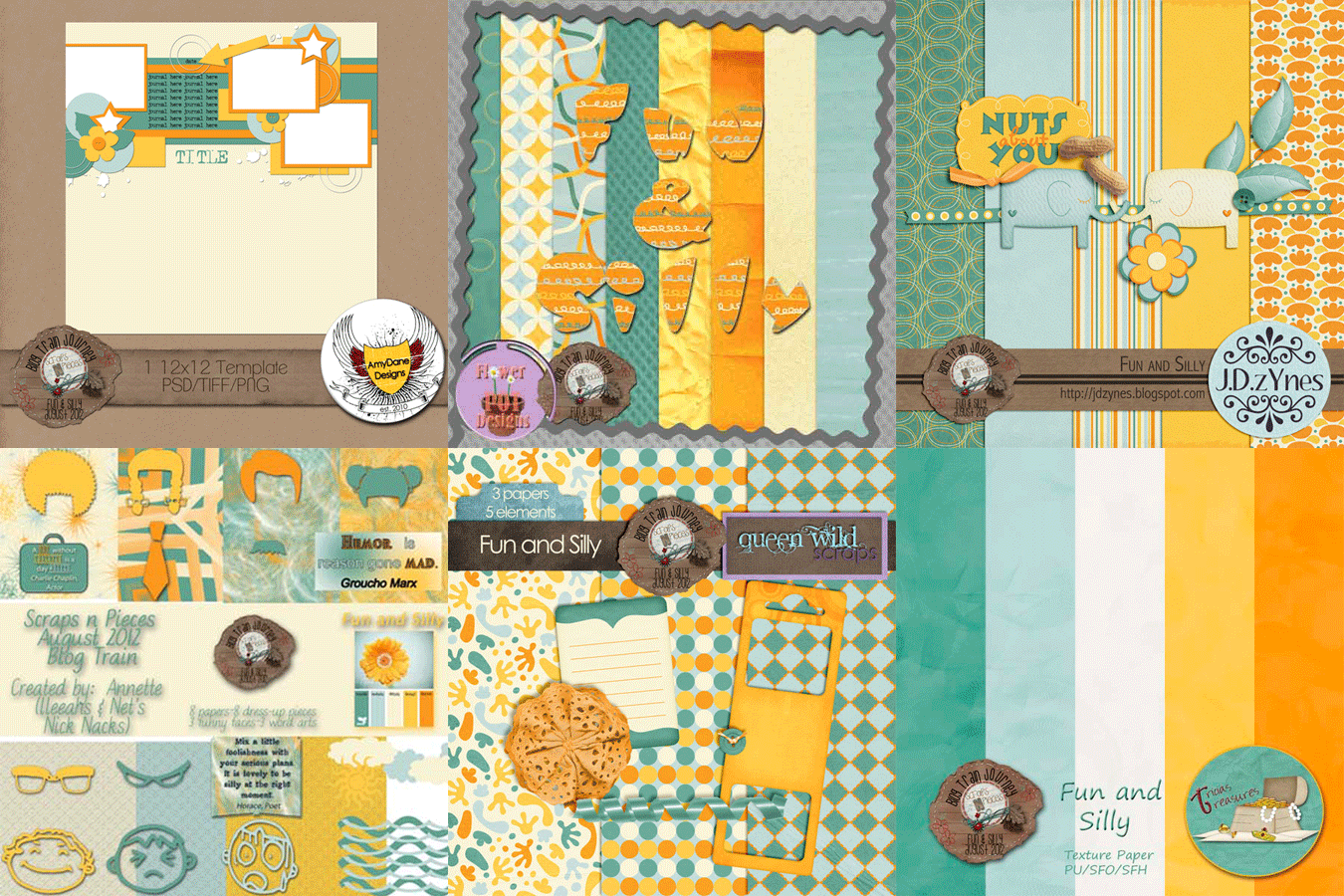
Another Fun and Silly blog train at Scraps N Pieces this month.  I just loved this fun bright palette that just made me smile.   Pick up this fun alpha and make sure you leave some love at all the stops for this fun and silly train.
Here is a look at all the previews


You can click on the preview below to pick up our alpha.


Here are the rest of your stops.
Scraps N' Pieces Store Blog
True North Scraps
Stampgram's Studio
Amy's Scrappin' Memories
AmyDane Designs
Scraps N Pieces
J.D.zYnes
GraceBlossoms4U
Net's Nick Nacks
Joyful Expressions
KB Custom Creations
Karen Diamond Designs
Tricia's Treasures
 Honeybee's Creative Hive
Memories by Digital Design
Lady Sherwood Designs
Ladybug Pics n Scraps
Just For Fun Designs
Flower Pot Designs
Keystone Scraps
Fit 2 Be Scrapped
Mommy Made This
Shuckclod's Stuff
Queen Wild Scraps
DoubleTrouble Scraps
Scraps by Missy
Build a Memory

Tuesday, August 7, 2012

Graduation Day Featured + freebie

Summer is almost over and school is ready to start.  I'll have another graduating this year, so we are all set and ready for a great Senior Year for him.  Katherine from the Scraps N Pieces Store CT highlighted our Graduation Day kit this month and we put it on sale for 1/2 off this week, plus you can grab a freebie from her on the store Blog.

Here are her layouts

and here is her freebie that you can grab at the store blog.

Thursday, May 17, 2012

Anyone want 1/2 off on our kits? Buy some get some FREE.

We have an amazing deal going on over at DigiGrab and tomorrow (Friday) is the last day to get this amazing deal.  Pay $10 to DigiGrab, they will give you a coupon that you can come back to the store and use towards $20 worth of products from Scraps N Pieces.  You know you want to, so grab it now.

Wednesday, May 16, 2012

CT Freebies for Playing With Cars

Good Morning!  I'm here with FREEBIES.  First, here is a reminder of our new Playing With Cars kit that is on sale for 1/2 off this week.  Perfect for anyone with little boys.
Our CT has goodies for you!  Images are linked to their bogs to go download.  Make sure you leave them some love!
Word Art Freebie from Tammy
Frame Freebie from Amy
Frame Freebie from Lindsay
QP Freebie from Brooke
Thanks!


Monday, May 7, 2012

CT Freebies for The Orient

I almost forgot about these with all the fun things we had going on over the weekend for iNSD.  Hope you all got in on some awesome deals.

Before I get to the CT freebies for this kit, I wanted to let you know about 8 FREE KITS you can get.  We just finished up a six week designer mentoring course and our 8 teams each worked together to make a kit an they are giving them away for free.  You can grab them all at our gallery and be sure to look in their descriptions because many of  them have additional coordinating freebies on their blogs.  You will have to register for the forum/gallery in order to download them, but they are worth it!

OK, just a quick reminder that this kit is on sale for 1/2 off for a few more days still at our Scraps N Pieces store.

and here is what you are looking for!
Journal Cluster from Wendy
Cluster from Sheri
QP from Brooke
QP from Lisa

Friday, May 4, 2012

Cinco de Scrapo - My Memories and FREEBIES


My Memories is celebrating NSD in a big way with Cinco de Scrapo! Don't you love this flier?! It was made by My Memories using our kit, Cinco de Mayo available at My Memories and both of our other stores as well.
 They are doing a blog hop with TONS and TONS of free product.  Our 4 Seasons Summer kit is FREE this weekend as part of the blog hop.  Click on image below to go to the store to grab it.  Be sure to head to My Memories Facebook page and our Facebook page for more fun stuff and to become a fan so you don't miss out on any other giveaways and new releases.
After you get ours, go HERE for your next stop at Mags Graphics.  If you get lost, the entire blog list is on the My Memories Blog HERE..

Want more?  Check out the fun contests and challenges going on to get more FREE items this weekend and all the time at our Forum and Store (forum requires registration).  We are giving away a copy of MyMemories software to one lucky winner, so be sure to register for our forum and see how you can get it.

Also, we have another little freebie for you here.  Grab this QP made from the above kit.


Thursday, May 3, 2012

The Great Template Giveaway

Today is the day of the Great Template Giveaway brought to you by LOTS of designers and DigiShopTalk.
If you subscribed to their newsletter like I told you to before, you can get all of the free templates available there.  If not, well, at least you can get this one.  Image is linked to the store.  Make sure you check your download for a coupon!

Wednesday, May 2, 2012

So, Who's Tired of Freebies????

**Link is now fixed** - I got a comment that the link isn't working, but it is, it will load a picture of the ad and underneath that picture is the signup for the newsletter.  You have to sign up for the newsletter in order to get the links for all the templates.  I tried it and it works****
I hope no one is because I have more for you!!! Are you a template lover???? Well, then I have news for you. DST (DigiShopTalk) is doing a great template giveaway for NSD.  The catch is you have to be subscribed to their newsletter in order to get all the freebies.  So, click on the image below to sign up and you should get the template download links immediately.  Be ready with an extra hard drive for all the downloading you will be doing this week and weekend.  I've seen the previews and they are awesome PLUS pretty much everyone will have a coupon included with their download, so make sure you check those out as well for more savings on more great products.  It will be AWESOME!!!

Here is a look at the template we are giving away.


Saturday, April 28, 2012

One more Superhero FREEBIE

I have one last Superhero freebie for you today.  This one is from Andrea and the image is linked to her blog.  I just wanted to give a big shout out to Katherine Woodin and Henriett for leaving a comment every single day.  It's really hard to give away full kits with over 500 downloads a day and only have 2 people that leave thanks every single time.  So, I have a special reward for you two, watch your PMs and thank you for being grateful and showing your thanks.  These are a lot of hard work and it is nice to be appreciated.  The rest of you, keep that in mind when you are downloading freebies, designers put in a lot of hard work and I know you think the fact that you are downloading our stuff should be compliment enough, but a few seconds leaving a real thank you is worth it's weight in gold to designers, especially if you want more freebies.
K, off my soapbox now and here is your freebie.  Make sure you leave some love for Andrea.

Friday, April 27, 2012

Mom's Little Superhero - CT freebies

Well, we are winding down and today is the last day of freebies for our Superhero kit.  Thanks especially to those of you that left comments every single day, watch for something special in your inboxes!  It pays to be kind.  Today you will get some awesome freebies prepared for you by our CT, but first, here is a link to the kit again.  If you missed any parts or all of the parts, you can still pick up both kits for only $2.50 each from any of our stores.  Scraps N Pieces - Stuff to Scrap - My Memories.
Here are the last of the layouts from our CT, these come to you from Sheri and Amy
Don't you just love all of these layouts?!!!  They have done a great job!
Ok, here are the freebies.  They are linked to the blogs of our CT.  Please make sure you give them some thanks for their hard work.

Adriana's iPad Wallpaper

Brooke's QP

Lindsay's Cluster Frame

Sheri's Word Art

Amy's Corner Cluster

Tammy's Cluster Frame
What a great variety!  Hope you have enjoyed this week of freebies from us.  Come back often!
Click HERE to go to Mommy Made this blog for some more freebies from her CT